Installation
1. Download SkinEngine
Download the plugin from the download page.
2. Upload the jar
Put the SkinEngine jar into your server's plugins folder. If you already have an older SkinEngine jar there, remove it or replace it first.
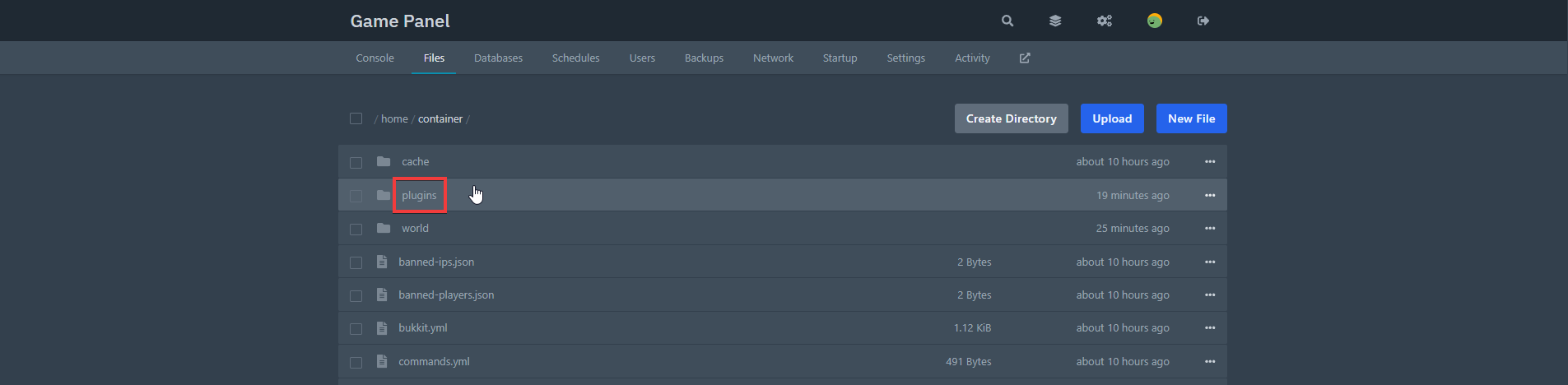

3. Start or restart the server
Fully restart the server so SkinEngine can generate its files.
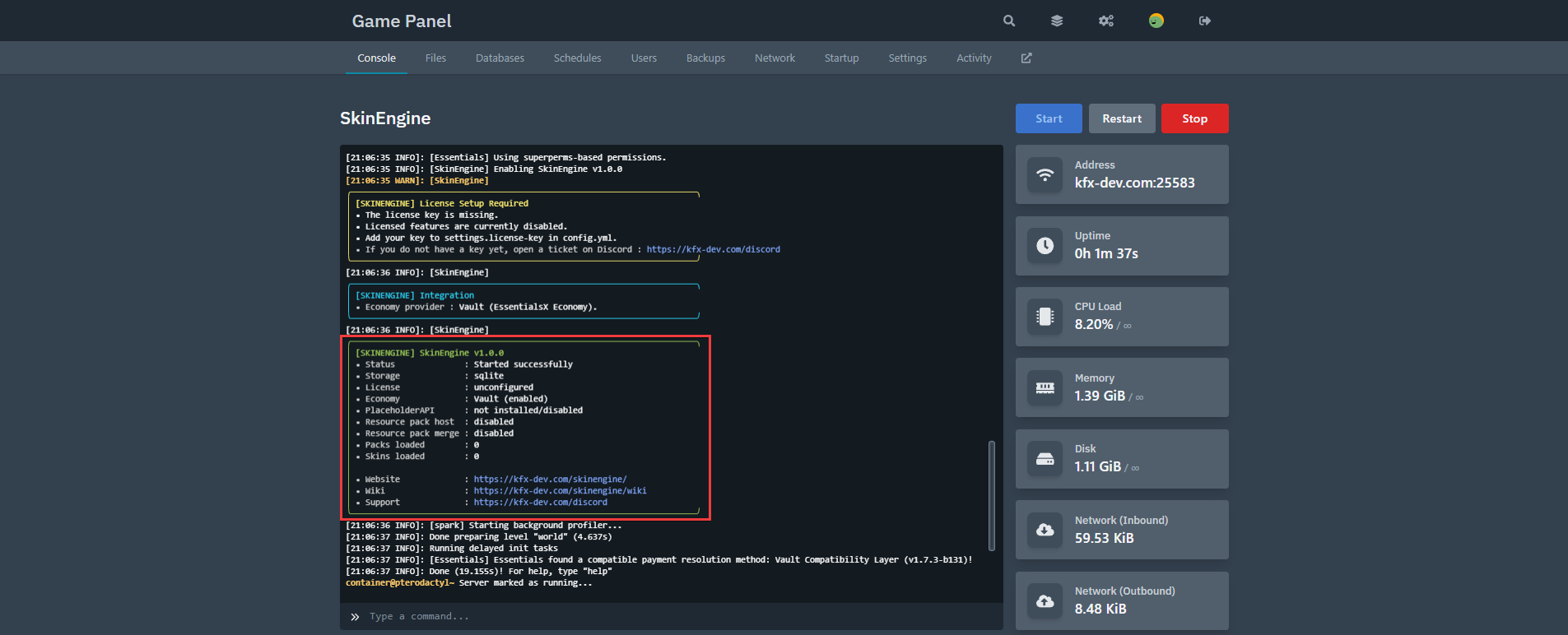
After the first startup, SkinEngine will create:
config.ymltranslations/messages.ymltranslations/guis.ymlguis.yml- the default pack files
4. Add your license key
Open config.yml and add your SkinEngine license key.
To generate your license key, you will have to join our Discord server and head to the
🔓〡how-to-verifychannel.
Please restart your server after you add the license key.
If you can't restart your server for any reason, you can use the /se license check command instead. Try not to use it too often, or you may hit our rate limit. A full restart is still the better option.
5. Check the console
Make sure SkinEngine loads correctly and does not report missing libraries, storage errors, or license issues. If everything is set up properly, there should be no serious warnings or errors.
6. Add some content to SkinEngine!
SkinEngine does not come with any skins on first install. All skins are bundled into packs that you can just drag and drop onto your server.
Some of them are paid, but we also have solid free SkinEngine packs available.
You can browse all SkinEngine Packs on this page.
7. Build the resource pack
Once the plugin is loaded, run:
/se zip
This builds the resource pack SkinEngine uses for skins. What happens next depends on your setup:
- self-hosting through
resource-pack.host.self-host - merging into another plugin's resource pack setup through
resource-pack.merge.paths
ItemsAdder, Nexo, and Oraxen are common examples, but resource-pack.merge.paths is not limited to any plugin.
8. Continue with setup
Next step: Usage
Requirements
- a Paper-based server: Paper, Purpur and forks only. Spigot and Bukkit are not supported
- a supported server version from
1.21.8up to the latest stable version - Java version required by your server version (Java 21+ for MC 1.21.11 or older, Java 25+ for MC 26.0 or newer)
- internet access for license and metadata checks
Optional integrations
SkinEngine doesn't require any other plugin. However, it can integrate with:
More config info: